Best Keyword Research Software: Free & Paid Options
Put this guide into practice with our free companion browser tools.
100% free, client-side private, and zero sign-up required. Run keyword clustering, schema generation, or SERP previews in seconds.
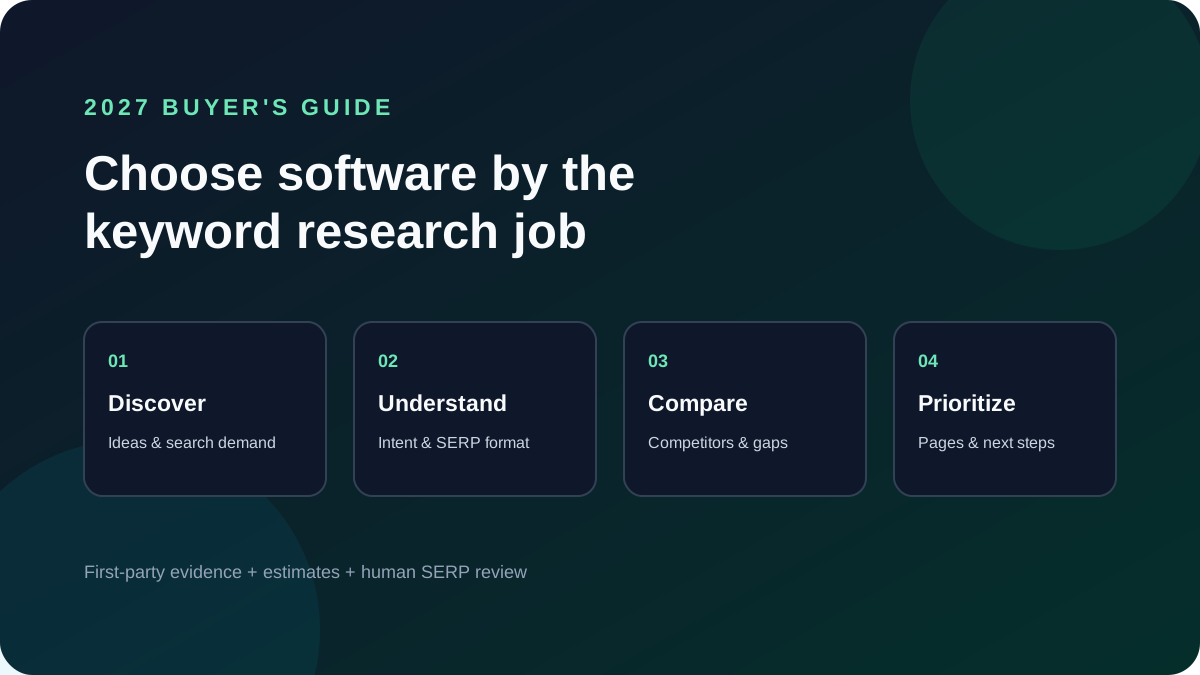
Best Keyword Research Software: How to Choose
The best keyword research software depends on the work you need done. Use Google Search Console for queries and pages already earning impressions, Google Keyword Planner for advertising-oriented keyword ideas, a dedicated SEO suite for competitor and database research, and lightweight tools for intent sorting and content workflows. Most teams get better decisions by combining sources than by trusting one keyword score.
Quick comparison: which keyword research tool fits your job?
| Tool or category | Best fit | Useful for | Important limitation |
|---|---|---|---|
| Google Search Console | Improving your own site's organic performance | Actual impressions, clicks, CTR, positions, queries, and landing pages | Reports your verified properties; it is not a broad competitor keyword database |
| Google Keyword Planner | Search advertising research and initial keyword discovery | Keyword ideas and Google Ads planning estimates | Ads-oriented estimates are not a promise of organic traffic or ranking difficulty |
| Search Learning Tools | Turning seeds into practical SEO research steps | Topic ideas, intent classification, clustering, and CSV workflows | Data availability depends on the tool and configured data source; Ideas Mode does not fabricate volume |
| Semrush | Broad SEO and competitive research workflows | Keyword discovery, competitor visibility, and campaign workflows | Coverage, limits, and features depend on plan and database |
| Ahrefs | SEO research centered on keywords, sites, and links | Keyword ideas and competitor/site research | Metrics are third-party estimates; validate important decisions against your own data |
| Moz Keyword Explorer | Keyword discovery and prioritization | Keyword suggestions and difficulty-oriented research | Estimates and available limits vary; verify current product details before purchase |
This is a category-based shortlist, not a paid benchmark or a universal ranking. Product features, limits, and prices change. Check each vendor's current documentation and trial the workflow with your own target topics before committing.
Our selection method
We compare tools by the decisions they help a user make, rather than a single headline score:
- Data provenance: Is the result first-party Search Console data, an advertising estimate, or a third-party database estimate?
- Intent fit: Does the workflow help distinguish learning, comparison, and purchase queries?
- Coverage and scale: Can it handle the number of markets, competitors, and keywords your team actually manages?
- Actionability: Can you move from keyword ideas to a cluster, content brief, or page update?
- Cost and learning curve: Will the team use the features often enough to justify the plan?
We do not claim independent performance testing of every paid product on this page. The comparison summarizes product categories and published use cases; use current vendor documentation for exact features, plan limits, and pricing.
Search Learning Tools is the publisher's own product and is included for workflow context, not as an independent third-party recommendation.
Which option should you choose?
Choose Google Search Console when you already have traffic
For an existing site, start with your own Performance report. Sort queries by impressions, then identify relevant terms with low CTR or average positions near the first page. These are concrete refresh candidates because they show how Google already connects your pages to searches. Search Console does not show competitor rankings or every search a person could make.
Choose Keyword Planner for ad-planning context
Keyword Planner is designed for Google Ads planning. It can help generate keyword ideas and understand advertising demand, but paid-search estimates should not be treated as exact organic volume, a ranking forecast, or a measure of SEO difficulty.
Choose a paid SEO suite for competitive scale
Consider a paid suite if you regularly research many competitors, markets, and topic groups, or need a broader keyword database for recurring campaigns. Before buying, check the exact country database, export limits, historical coverage, seats, and project limits in the current plan. A large database is only useful if your team can turn it into decisions.
Choose a focused workflow tool for planning and execution
For smaller teams, a focused workflow can be enough: generate relevant query ideas, inspect live search results, classify intent, group related searches, and map each group to one page. Our keyword research tool is transparent about its modes: configured data sources can provide metrics, while Ideas Mode generates ideas without inventing search volumes.
Free vs. paid keyword research software
| Need | Start with | Upgrade when |
|---|---|---|
| Measure queries already bringing visitors | Google Search Console | You need competitor or market-wide discovery |
| Generate first-pass topic ideas | Free keyword and search tools | You need repeatable research across many markets |
| Organize queries into pages | Keyword clustering and a spreadsheet | Large teams need shared briefs, reporting, or governance |
| Compare competitor visibility | Public SERPs and a limited trial | Competitor analysis is a recurring, high-value workflow |
Free does not always mean limited for your task. If you only need to refresh pages based on first-party query data, a free source may be more useful than a paid database. Conversely, agencies and larger SEO teams may save time with paid-scale exports and competitive analysis.
A practical keyword research workflow
- Set the business goal. Decide whether the page should educate, attract qualified leads, support an existing product, or help a customer complete a task.
- Collect real language. Combine Search Console queries, customer questions, internal search, support conversations, and keyword suggestions. Keep the source and date with each dataset.
- Check the live SERP. Review the results in your target location and language. Note page types, dominant intent, and what useful information the ranking pages provide.
- Separate evidence from estimates. Label first-party clicks and impressions separately from estimated volume, difficulty, and CPC metrics.
- Cluster by intent, not just similar wording. Queries belong on one page when a single useful page can satisfy the same need. Split them when the audience, action, or expected result differs.
- Prioritize with a simple scorecard. Rate business relevance, evidence of demand, SERP competitiveness, and effort. Do not let a third-party difficulty number decide alone.
- Map each cluster to one destination. Update a strong existing URL when it already serves the intent; create a new page only when it adds distinct value and avoids cannibalization.
- Measure and revise. Track impressions, clicks, CTR, and relevant conversions in Search Console and analytics. Compare like periods and annotate major page changes.
Use the keyword clustering tool to organize a list and the Search Console analyzer to find existing query opportunities. The complete keyword research guide covers the broader planning method, and the Keyword Strategy Hub connects the related guides and tools.
Common tool-selection mistakes
- Treating estimated search volume as guaranteed visits.
- Comparing difficulty scores from different providers as though they use the same formula.
- Buying a large suite before defining the repeated workflow it should improve.
- Creating separate pages for keyword variations that share the same search intent.
- Choosing a tool by a feature checklist without testing its export, country coverage, or collaboration limits.
- Publishing volume-led comparisons without verifying current pricing and product features.
Vendor documentation
- Google Search Console Performance report
- Google Ads Keyword Planner
- Semrush Keyword Overview
- Ahrefs Keywords Explorer
- Moz Keyword Explorer
Frequently asked questions
What is the best free keyword research software?
There is no single best free option for every task. Search Console is useful for your own site's performance; Keyword Planner supports advertising research; free SEO tools can help generate and organize topic ideas. Choose based on whether you need first-party measurement, discovery, or workflow support.
Are keyword research tool search volumes accurate?
Search volume shown by most SEO suites is an estimate, and providers can use different sources, time windows, and models. Treat it as a directional comparison, document its source, and validate priorities with your own Search Console and conversion data when available.
Do I need paid keyword research software?
Not necessarily. Start with free first-party data and a repeatable research process. Consider paid software when competitive research, larger exports, historical trends, or team reporting are frequent enough to justify the cost.
Can one keyword tool replace Google Search Console?
No. A third-party keyword database can estimate market-wide opportunities, while Search Console reports how your verified site appears in Google Search. They answer different questions and work best together.
Search Learning Tools Editorial Team
• Lead Search PractitionerSpecializing in Technical SEO architecture, Generative Engine Optimization (GEO), and Schema.org structured data. Audits search retrieval models and entity attribution.
Author verification: Published on Search Learning Tools • Contact via Editorial Team
Related Free Tools
Search Intent Classifier
Classify keyword batches into Informational, Commercial, Transactional, and Navigational intents plus modern AI query types.
Keyword Research Tool
Research keyword ideas, search intent angles, and transparent opportunity scores with real CSV exports.
AI Keyword Generator
Generate topic-based keyword ideas and starter search intent classifications for content planning and search engine optimization.
Found this helpful? Share it:
Share on TwitterTurn the lesson into a workflow
The free guide explains the reasoning. The one-time AI SEO Prompt System packages repeatable prompts for the next research, briefing, and optimization pass.
See the AI SEO Prompt SystemQuestions About SEO Tools?
Yes, the core SEO tools are free. The optional AI SEO Prompt System adds structured workflows for a one-time $7.99.
Our Complete Keyword Research Guide provides actionable keyword help covering search intent classification, long-tail query discovery, competitor gaps, and topical clustering to build organic ranking authority.
A decaying content checker is a diagnostic sensor that detects ranking drops, click erosion, and outdated content freshness across older URLs. It identifies freshness deficits and projects recoverable traffic so you can refresh pages before rankings flatline.
It generates topic-based keyword ideas and intent labels for your review. It does not provide search-volume estimates, so validate demand with your preferred keyword data source.
You can use the generated drafts as a starting point for client work. Review the output, confirm facts, and follow your client's data and publishing policies before using it.
The AI SEO Prompt System is a practical collection of prompts for ChatGPT, Claude, and Gemini covering keyword research, content creation, technical SEO, and optimization. It is a one-time $7.99 purchase.
Tool updates are released as improvements are ready. Check the tool pages and release information for the current capabilities.
Review the site privacy information before entering sensitive material. Avoid submitting confidential client data to any browser-based tool unless your organization has approved it.
Start with the AI Keyword Generator to explore a seed topic, then use Content Optimizer to review structure and keyword placement, followed by Meta Description Generator to draft a search snippet.
They can help you plan and review content, but they do not guarantee rankings, traffic, or a particular timeframe. Measure results in your own Search Console and analytics data.
Community Q&A
Questions and answers for this guide
Maya
Sep 12, 2026
The keyword clustering prompts are clear, and the workflow helps me explain the why behind each content brief.
Leo
Sep 14, 2026
I used the AI visibility checklist before publishing a guide and it caught a few gaps around direct-answer structure and heading clarity.