Creating a Robots.txt File: Complete Technical Guide & Best Practices
Put this guide into practice with our free companion browser tools.
100% free, client-side private, and zero sign-up required. Run keyword clustering, schema generation, or SERP previews in seconds.
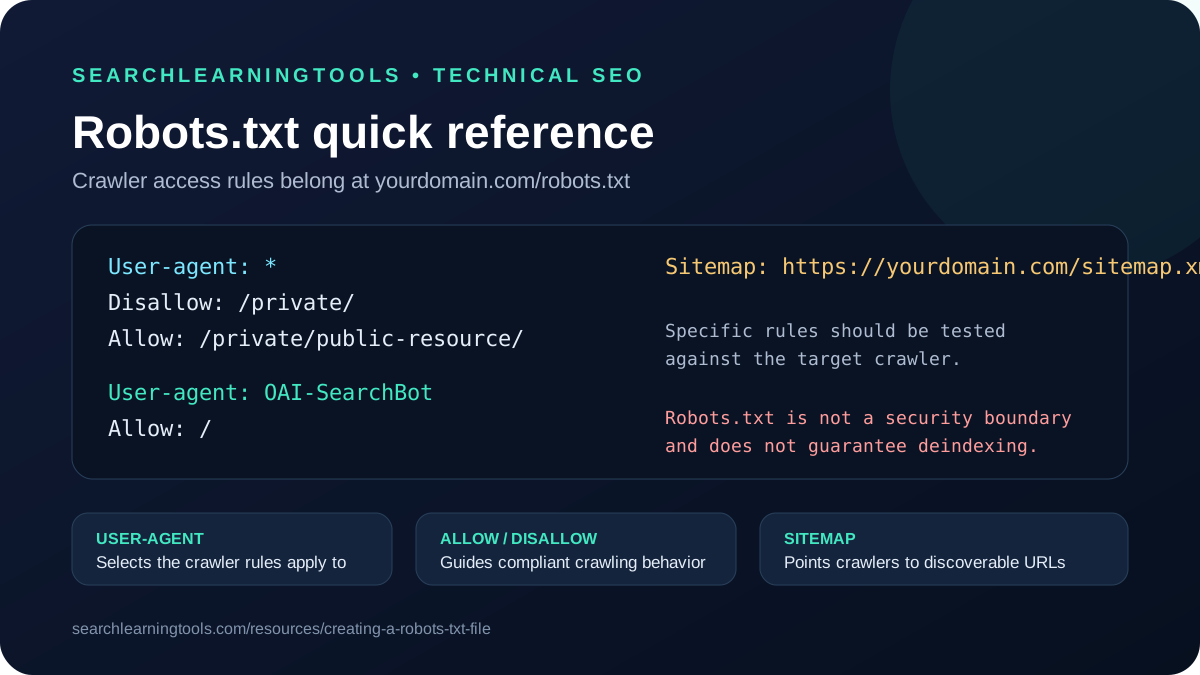
Creating a Robots.txt File for Modern Search Engines & AI
A robots.txt file is a plain text file placed in the root directory of your website (e.g., https://yourdomain.com/robots.txt) that instructs automated web robots and search engine crawlers which pages they can or cannot request from your site.
Adhering to the Robots Exclusion Standard (RFC 9309), a properly configured robots.txt file preserves your server crawl budget, prevents duplicate content indexing, and ensures generative AI models can parse your authoritative content.
Anatomy of a Robots.txt File
A robots.txt file consists of one or more directive blocks composed of:
1. User-agent Directive
Specifies which crawler the following rules apply to:
# Applies to all compliant web crawlers
User-agent: *

# Targets Googlebot specifically
User-agent: Googlebot

# Targets OpenAI search and citation crawler
User-agent: OAI-SearchBot
2. Disallow Directive
Instructs the crawler not to fetch specific URL paths:
Disallow: /admin/
Disallow: /checkout/
Disallow: /api/
3. Allow Directive
Explicitly permits access to a specific sub-path within an otherwise disallowed directory:
Disallow: /wp-includes/
Allow: /wp-includes/js/
Allow: /wp-includes/css/
4. Sitemap Directive
Points crawlers directly to your absolute XML sitemap location:
Sitemap: https://yourdomain.com/sitemap.xmlCustom Robot Txt Generator for WordPress & Next.js
When creating a robots.txt file, standard templates differ based on your CMS architecture:
WordPress Recommended Configuration
User-agent: *
Disallow: /wp-admin/
Allow: /wp-admin/admin-ajax.php
Disallow: /cart/
Disallow: /checkout/
Disallow: /my-account/
Disallow: /?s=

# Allow AI Citation Crawlers
User-agent: GPTBot
Allow: /

User-agent: PerplexityBot
Allow: /

Sitemap: https://yourdomain.com/sitemap_index.xml
Use our dedicated Robots.txt Generator for WordPress to generate this configuration with 1-click download.
4 Critical Mistakes to Avoid When Creating Robots.txt
- Never Disallow the Root Directory (`Disallow: /`): This tells search engines to de-index your entire domain.
- Never Block CSS or JavaScript Bundles: Googlebot renders web pages as a headless browser. Blocking static stylesheets or Next.js static bundles (
/_next/static/) prevents Google from testing mobile-friendliness. - Do Not Rely on Robots.txt for Sensitive Security: Robots.txt is publicly visible. Do not list private URL paths that you do not want malicious scrapers to discover. Use HTTP authentication and
noindexheaders instead. - Test Before Publishing: Test your live directives using our Robots.txt AI Crawler Tester to ensure desired search visibility.
Related Free Tools
Robots.txt Generator
Custom robot txt generator tool: create a clean, compliant robots.txt configuration file with proper allow rules for search engines and modern AI web crawlers.
✓Custom robot txt generator tool
✓Sample sitemap directive to edit
+3 more benefits
Robots.txt AI-Crawler Tester
Evaluate published robots.txt access rules for Googlebot, Bingbot, OAI-SearchBot, PerplexityBot, GPTBot, and ClaudeBot.
✓Googlebot check
✓GPTBot check
+3 more benefits
Robots.txt Generator for WordPress
Generate an optimized robots.txt file for WordPress. Protect crawl budget, allow admin-ajax.php, and manage AI search crawlers.
✓WordPress core rules
✓WooCommerce endpoints protection
+3 more benefits
Found this helpful? Share it:
Share on TwitterTurn the lesson into a workflow
The free guide explains the reasoning. The one-time AI SEO Prompt System packages repeatable prompts for the next research, briefing, and optimization pass.
See the AI SEO Prompt SystemQuestions About SEO Tools?
Yes, the core SEO tools are free. The optional AI SEO Prompt System adds structured workflows for a one-time $7.99.
Community Q&A
Questions and answers for this guide
Maya
9/12/2026
The keyword clustering prompts are clear, and the workflow helps me explain the why behind each content brief.
Leo
9/14/2026
I used the AI visibility checklist before publishing a guide and it caught a few gaps around direct-answer structure and heading clarity.